Documentation

Getting started

Install

Install Apricot Translate site-wide in two steps.

Once the script is live and the domain is whitelisted, you can configure languages directly from the front end.

1 Widget

Add the script

In WildApricot, go to Website > Settings > Global JavaScript and paste:

<script defer src="https://translate.ansidmedia.com/widget"></script>
2 Whitelist

Allow the script to run

Add the domain below to Website > Settings > JavaScript Whitelist.

translate.ansidmedia.com
Detailed guides

Step-by-step guidance for each part of the translation process.

Use these guides after the widget is installed. They are ordered from first launch through advanced translation rules.
Open the inspector

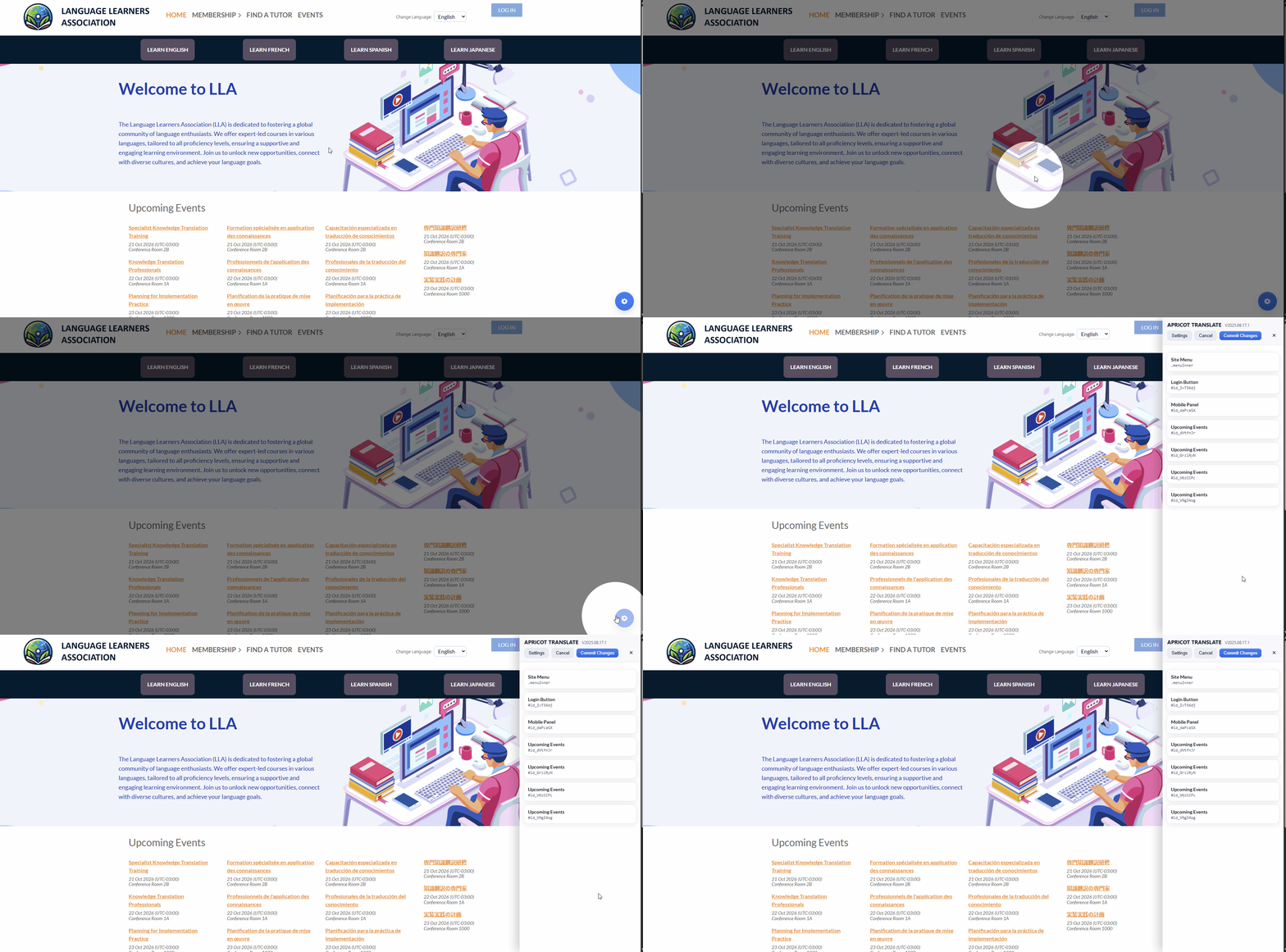
Launch Apricot Translate on the front end

  • The inspector button appears in a bottom corner of the page when it is enabled in settings.
  • If the button is hidden, use Ctrl + Option + T on MacOS or Ctrl + Alt + T on Windows.
  • Open it in public view so you can translate the actual visitor-facing interface.
Opening the Apricot Translate inspector from the front end
Language setup

Define each language correctly

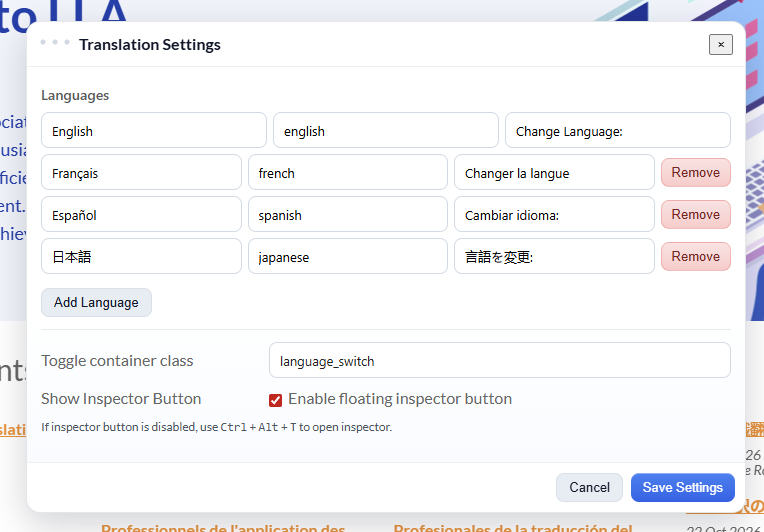
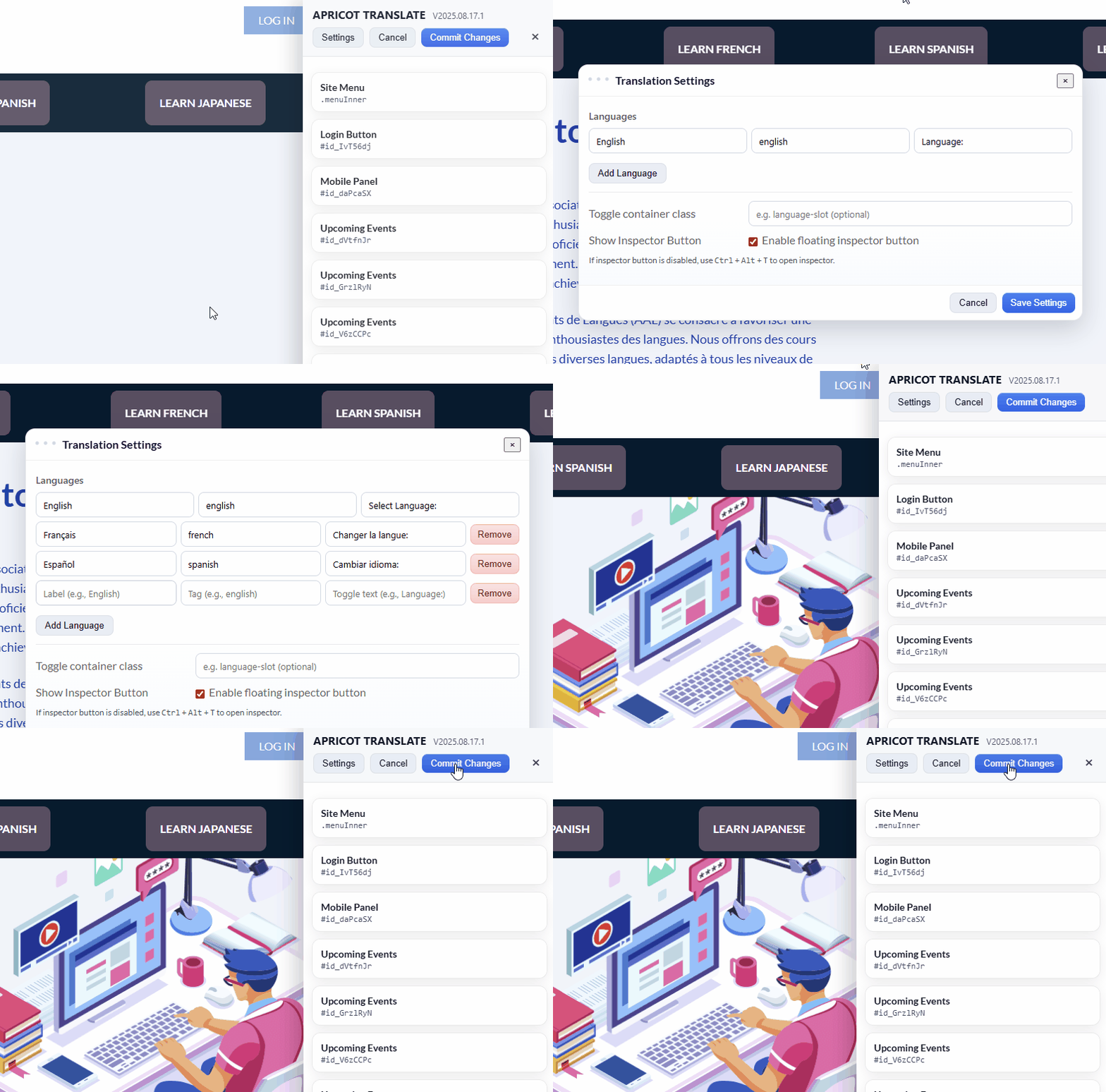
  • Each language row needs three values: the visitor label, the internal tag, and the prompt that appears before the switcher.
  • Keep the first row as your primary language so Apricot Translate knows the base version of the site.
  • If you only want to rename system labels in one language, you can keep a single language and skip the switcher.
Setting language labels and tags in Apricot Translate
Switcher placement

Place the language switcher where it belongs

  • With more than one language configured, the switcher floats by default at the bottom right of the page.
  • To place it elsewhere, add a CSS class to a content or HTML gadget and enter that class in the Toggle container class field.
  • You can also hide the inspector button in settings and continue opening it with the keyboard shortcuts.
Apricot Translate settings window showing switcher options
Content Gadgets

Translate your own content with language tags

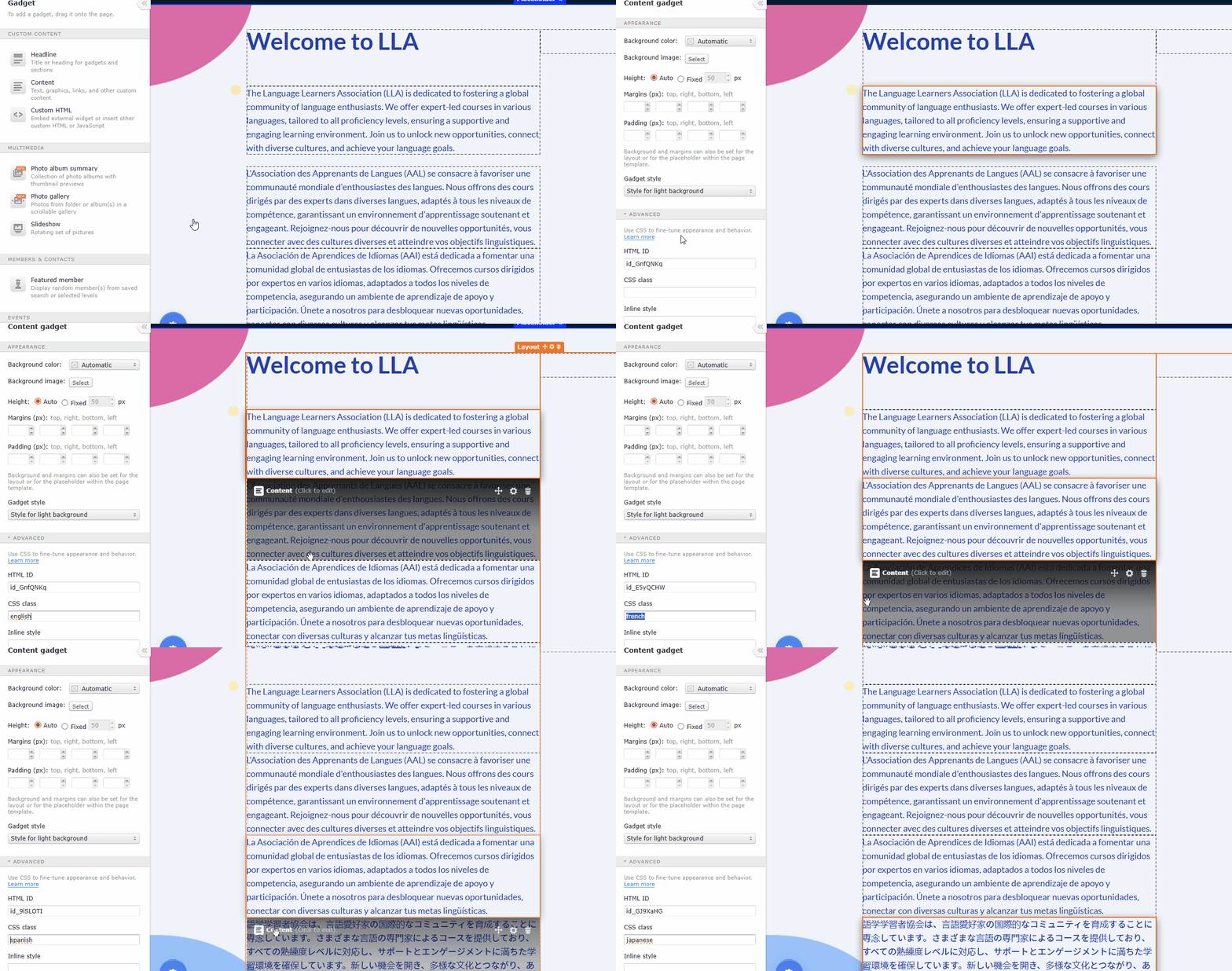
  • Create the content separately for each language using different gadgets or layouts.
  • In the gadget sidebar, expand Advanced and enter the language tag in the CSS class field.
  • Content without a language tag remains visible for every language, which is useful for universal items.
Applying language tags to different versions of WildApricot content
Site menu

Translate navigation and menu labels

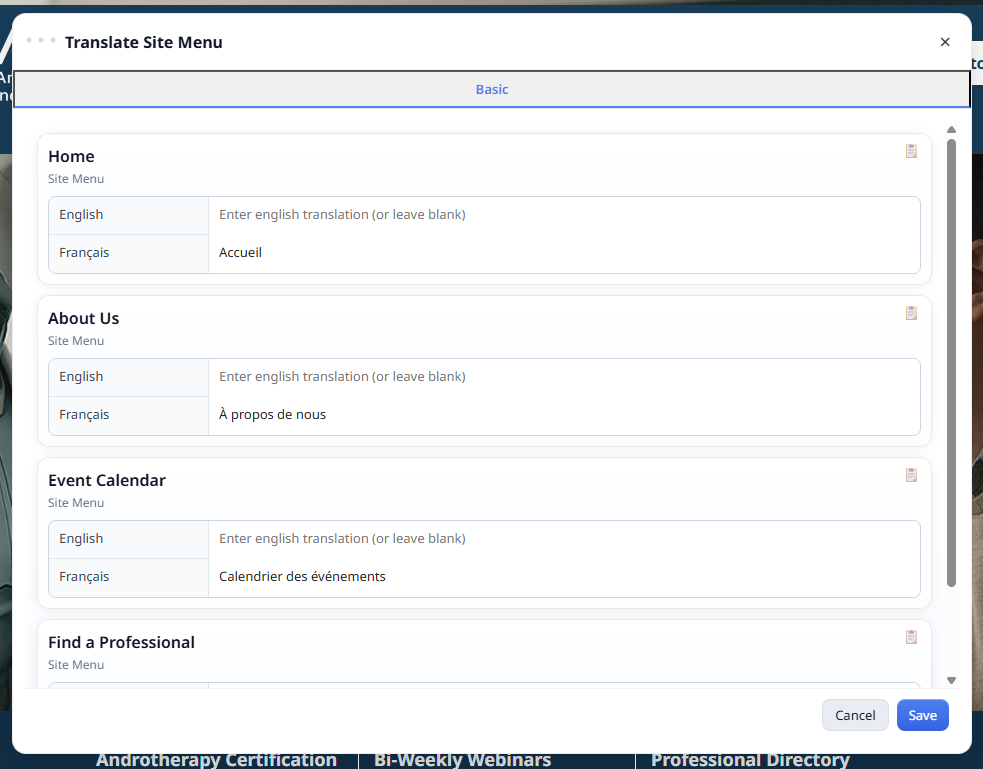
  • Switch to public view and open the inspector. You may need to be logged in as a member to see every menu item.
  • Select Site Menu to edit labels used in menu gadgets, including the mobile panel.
  • Save your edits while testing, then commit them once the translated navigation matches what you want visitors to see.
Apricot Translate site menu translation interface
Basic translation tab

Translate system labels that Apricot Translate exposes directly

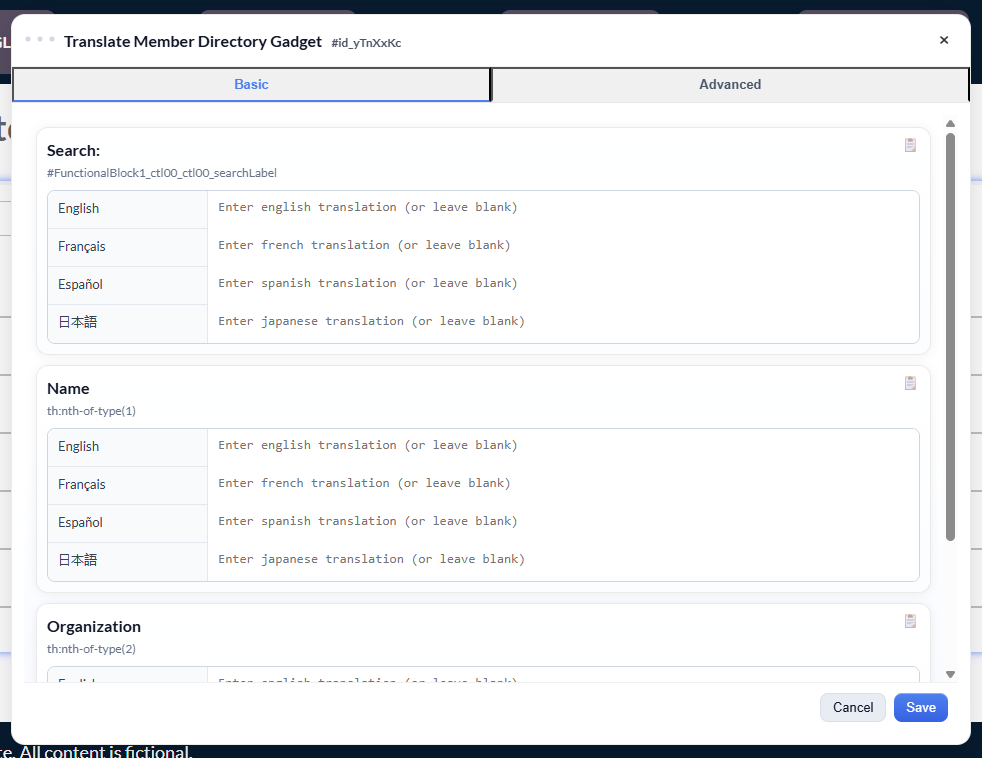
  • Open the gadget from the inspector sidebar to see the labels available in the Basic tab.
  • Leave a field blank if you want to keep the original text for that label.
  • If a label is missing from the list, move to the Advanced tab and add a rule for the relevant class.
Apricot Translate basic translation tab for system labels
Advanced rules

Use Advanced rules when the Basic tab is not enough

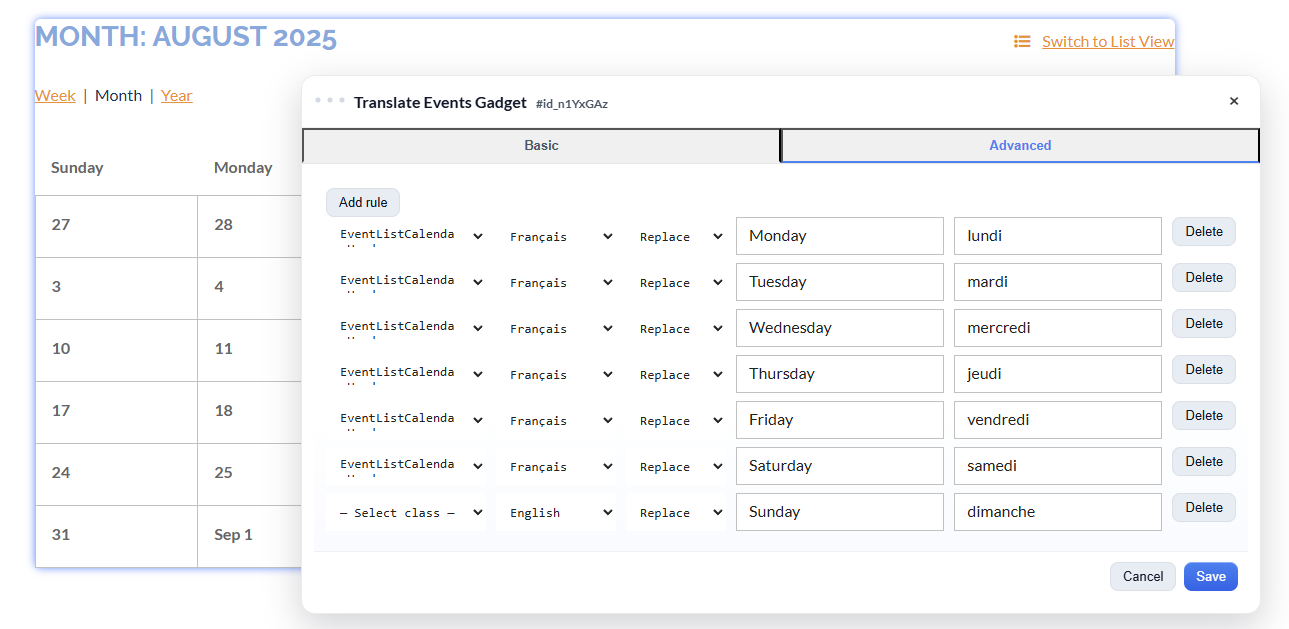
  • Select the WildApricot class you want to target, then choose the language and the rule type.
  • Replace is best for swapping known words or phrases and is the common choice for most administrators.
  • Regex supports more complex pattern matching and is usually best handled by someone comfortable with front-end selectors and regular expressions.
If you are unsure which class to target, start with a developer or test on a staging page first. Advanced rules are powerful because they can affect repeated interface text across a gadget.
Apricot Translate advanced translation rules tab
Support

Need help getting live?

We can help with setup questions and implementation support. We also offer a done-for-you install for a fee.

Contact

Email support@ansidmedia.com and include your WildApricot site URL.

Need to manage your subscription?

We will email you a secure link to manage your subscription. No login required.